Massing Options for Client Reviews: Make the Comparison Repeatable

A client review is more useful when each option answers the same question under the same conditions. If one image uses a flattering angle and another uses a different date or missing neighbours, the discussion can become a comparison of presentation choices. Set up the study so the difference between proposals is easy to identify and reproduce.
State the decision the review needs
Write the decision in a sentence before modelling. An illustrative early brief might ask whether a compact block or a courtyard arrangement should proceed to the next iteration. Identify the relevant programme assumptions and constraints. Keep questions about verified boundaries, retained structures and neighbouring heights visible if they remain unresolved.
RIBA's Plan of Work provides a framework for project stages, outcomes and information exchanges. Use the process agreed for your project to decide what this review must establish. An early massing discussion should leave a clear record of the chosen direction and what information is still required.
Build one context baseline
Locate the site, trace the supplied boundary and load the relevant context once. Review the provenance and height assumptions for buildings that affect the study. Keep that baseline in a saved study document so later options can use the same surroundings. Note any building excluded because it overlaps the plot and state whether the project assumes it will remain or be removed.
In the current Site Study tool, the overlap control hides entire context buildings that intersect the plot. It does not model partial demolition. Treat that control as a presentation choice requiring an explicit project assumption. A client should be able to tell whether an empty area reflects the brief or simply a display setting.
Change the proposal, keep the comparison conditions
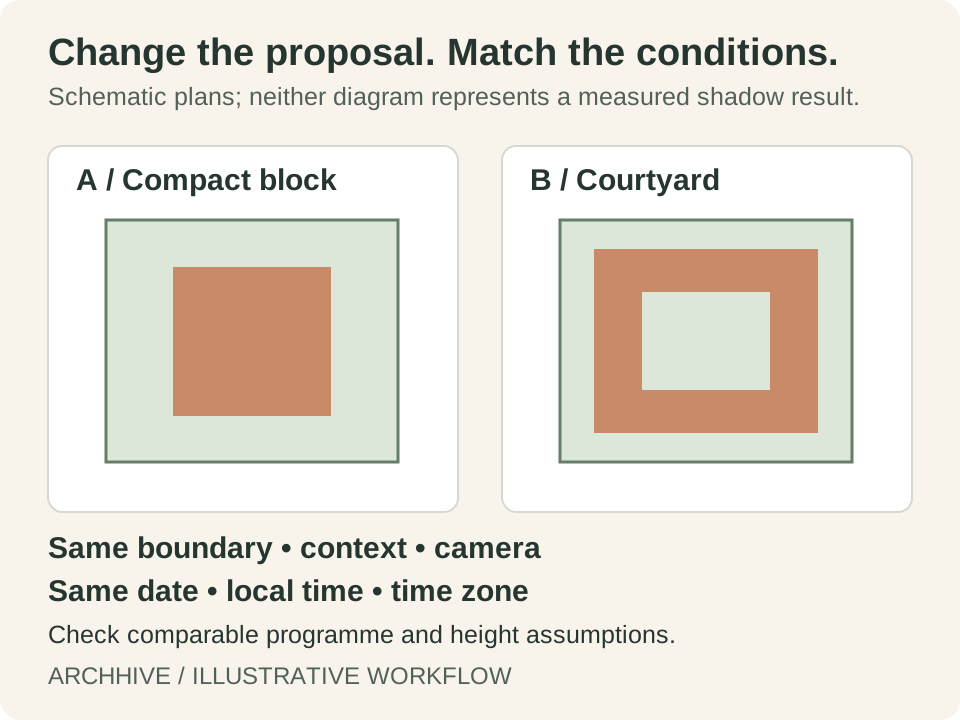
Create a separate document for each option and use a revision name that makes sense outside your own folder. Keep the camera, selected date, local time and time-zone setting consistent. Use comparable height and programme assumptions. If an option intentionally changes those assumptions, say so beside the image rather than burying the difference in a model.
For a supported imported model, confirm dimensions and orientation before producing the comparison. The current coverage and volume figures refer to drawn masses; imported geometry is not included in those figures. Use an independently checked quantity where the review needs a total for the whole proposal.
- Save the baseline and each proposal as separate study documents.
- Confirm the boundary source and important context assumptions.
- Match camera, date, time and clock settings for paired outputs.
- Label any deliberate difference in programme or model detail.
- Keep the source files with the exported review pack.
Describe what the image establishes
Use a factual caption: what is being compared, which conditions are fixed, and what appears different in the view. Site Study's shadows are conceptual, with flat ground and potentially estimated context heights. They can help frame a later investigation, but the tool does not calculate interior daylight, energy use, wind conditions or regulatory compliance.
Avoid assigning a performance score to a visual impression. If the review needs a measured daylight result or another specialist metric, identify the required analysis and who will carry it out. The early study can still be valuable when it clearly states its scope.
Record a decision with an owner and next action
Close the review with the selected direction, its reasons, open questions, responsible people and next review date. An illustrative entry might read: develop the courtyard option; verify the western neighbour's height; return with a coordinated plan and section. Keep the rejected option and its rationale available so the team does not repeat the same discussion without new evidence.
Get Massing Options for Client Reviews: Make the Comparison Repeatable Resources on ArchHive
Browse professional materials, templates, and expert guidance related to this topic.
Explore ResourcesFound this useful? Share it
About the Author
Original workflow guides from ArchHive Editorial. Examples are illustrative; source links distinguish professional context from our suggested exercises.